Power App Tracker

Bringing global teams together with one centralized recall tracking system.

Through collaboration and usability testing with global field corrective action (FCA) teams, I designed a centralized Power App that replaced inconsistent regional tools with a unified, intuitive system for managing product corrective actions. The result is a clearer, more reliable way for teams across the globe to stay aligned.

Client

Olympus Corporation

Role

UI/UX Designer

User Research & Usability Testing

Prototyping & Workflow Design

Tools

Figma

Challenge

Different regions across the globe relied on their own tools and processes to distribute and track product recalls. This fragmentation created inconsistent reporting, limited visibility into global FCA activity, and made it difficult for teams to monitor progress or identify trends across regions.

Solution

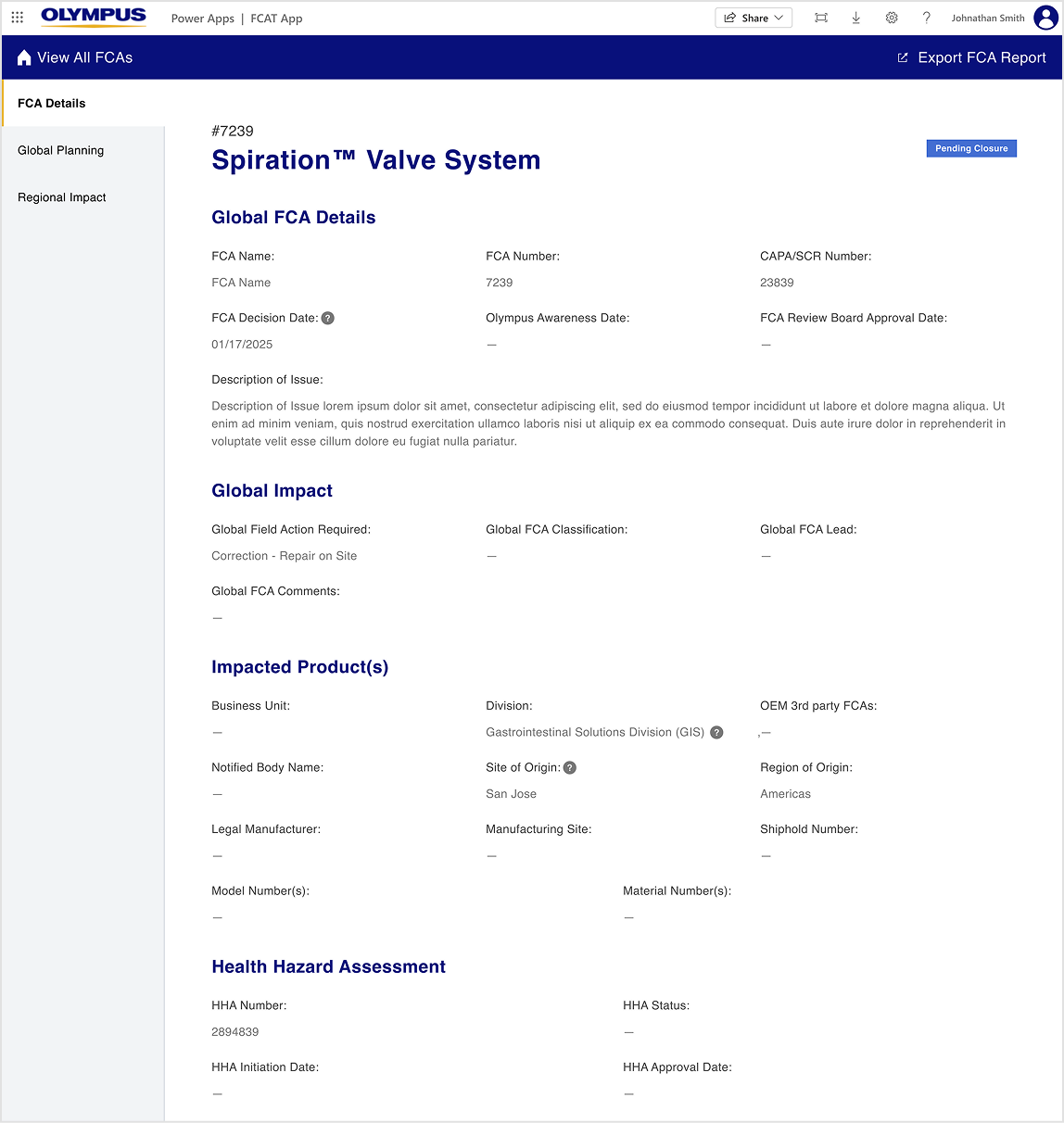
Partnering with FCA teams and regional stakeholders worldwide, I led the design of a centralized PowerApp that allows all regions to submit, track, and monitor corrective actions in one place.

Using a detailed Figma prototype, I conducted usability testing with global users to validate workflows, ensure the interface supported regional needs, and refine functionality before development.

Results

The unified FCA Tracker gives Olympus teams global visibility into corrective actions with the ability to:

  • Monitor FCA status by country, region, or globally
  • Track progress and update actions in real time
  • Search and filter more efficiently
  • Standardize reporting and internal communication

This centralized approach improved operational consistency, reduced duplication across regions, and strengthened Olympus’ ability to manage product recalls with accuracy and speed.

Usability Testing

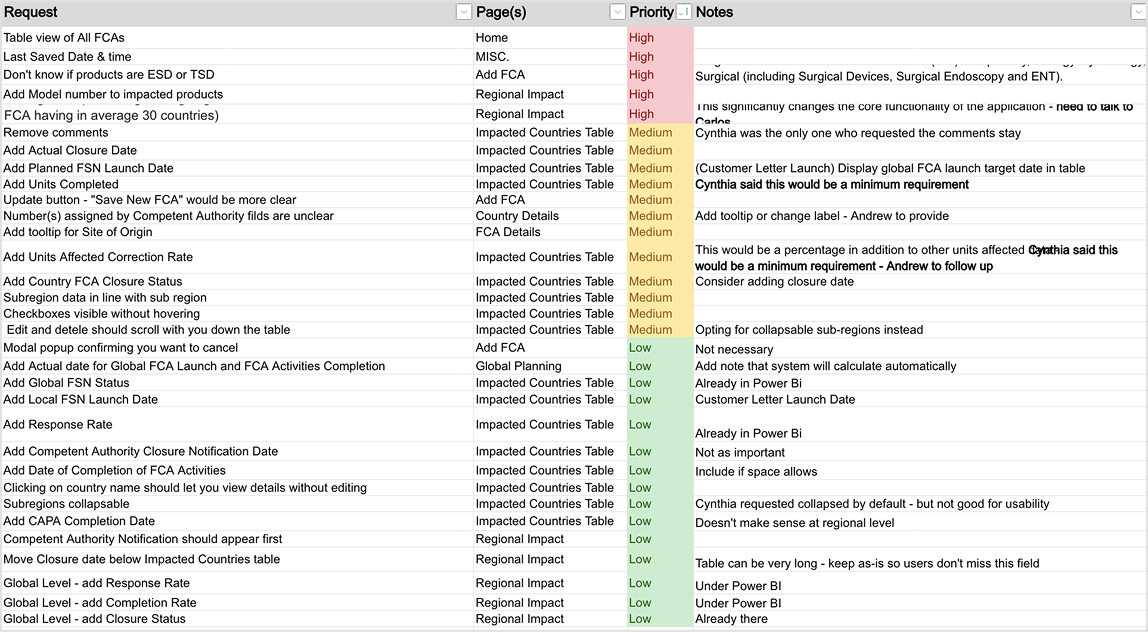
Task List
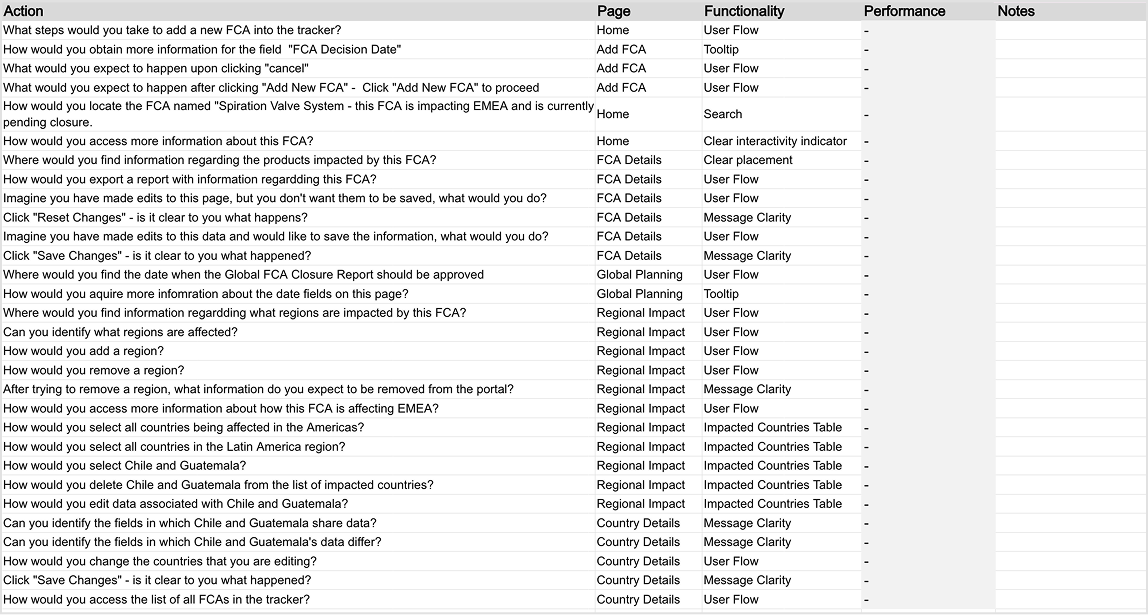
task list

Test Results

test results

Key Changes After Usability Testing

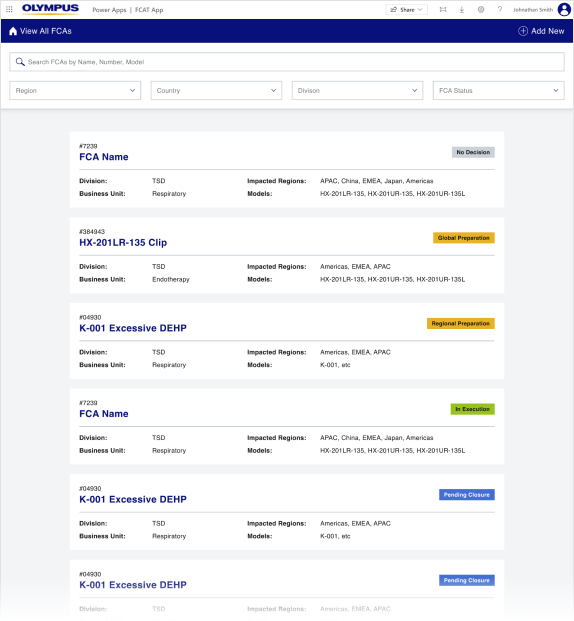
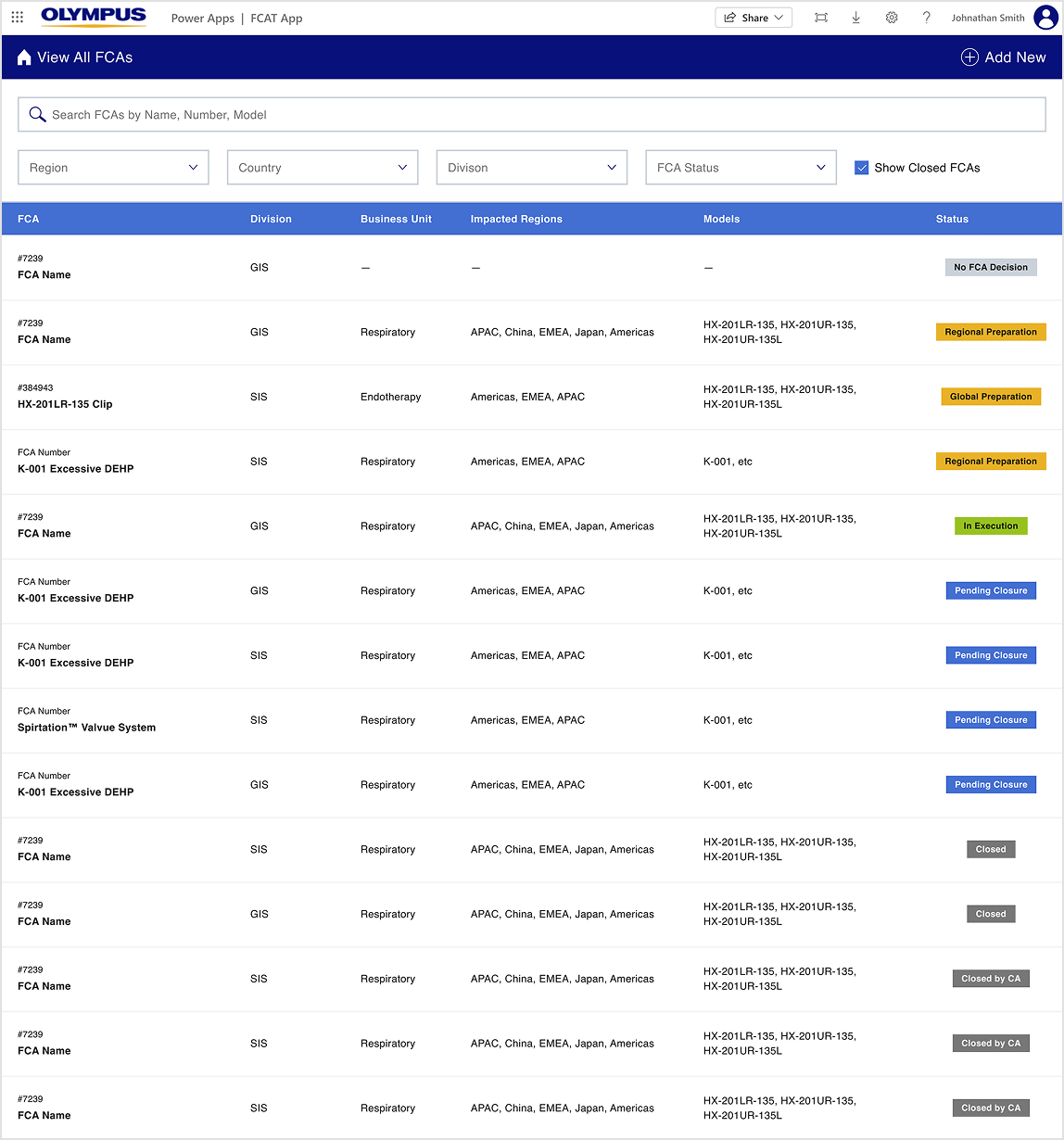
Homepage

  • Optimized Spacing: Reduced excessive whitespace to bring important content and actions closer together, improving scannability and reducing unnecessary scrolling.
  • Enhanced Search: Added an option to search for closed FCAs, allowing users to access historical corrective actions without navigating multiple screens.
  • Improved FCA List: Introduced a sticky header for column names, enabling users to reference key information while scrolling. This also freed up vertical space and created a cleaner, more usable table.

Before

homepage before

After

homepage after

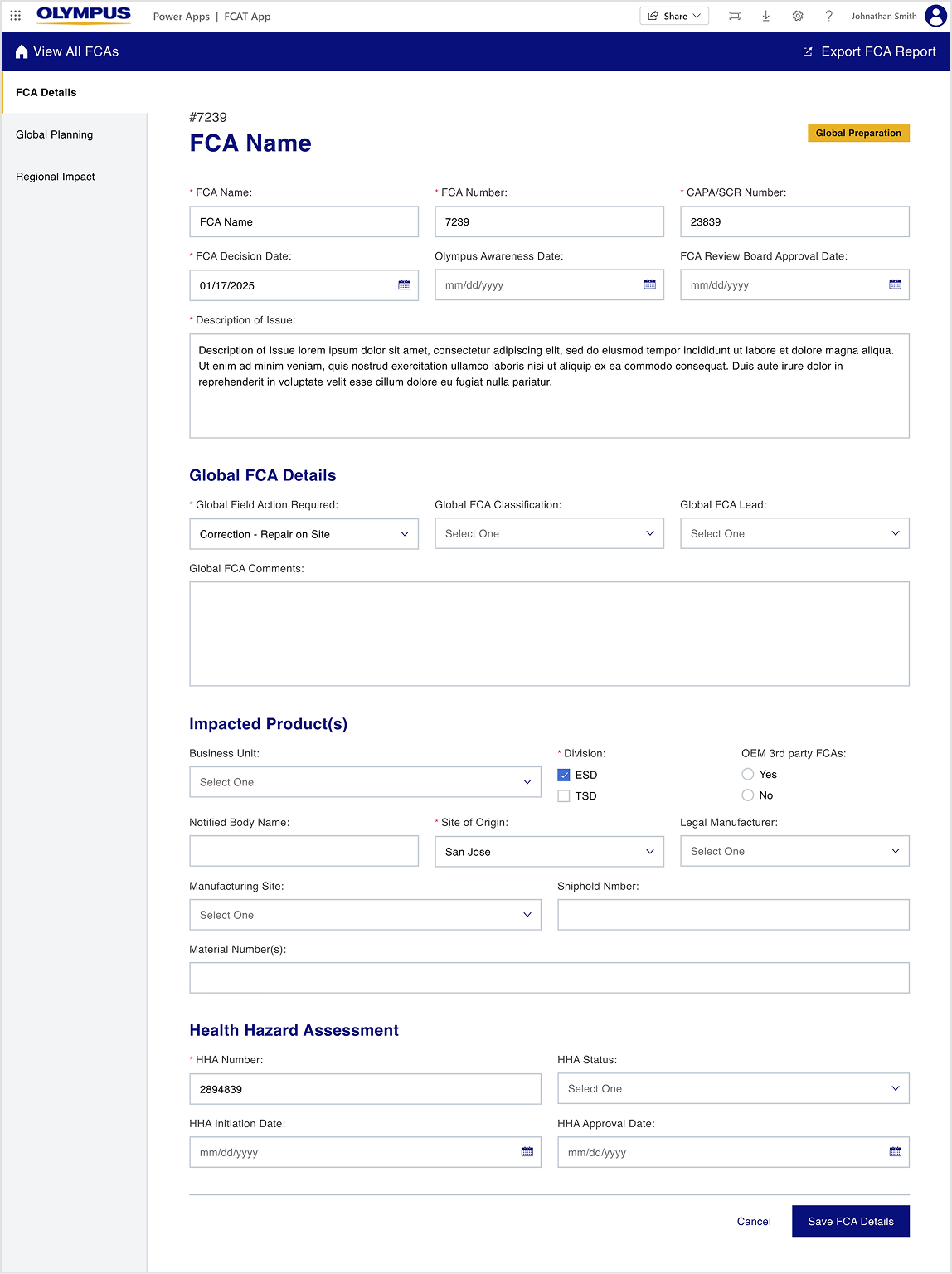
FCA Details

  • Read-Only Mode: Discovered the need for a dedicated read-only view for users without edit permissions, reducing errors and simplifying their workflow.
  • Updated Field Names & Tooltips: Standardized terminology across regions and included tooltips to clarify the purpose of the affected fields, ensuring users understood what information to provide or review.

Before

FCA details before

After

FCA details after

Regional Impact

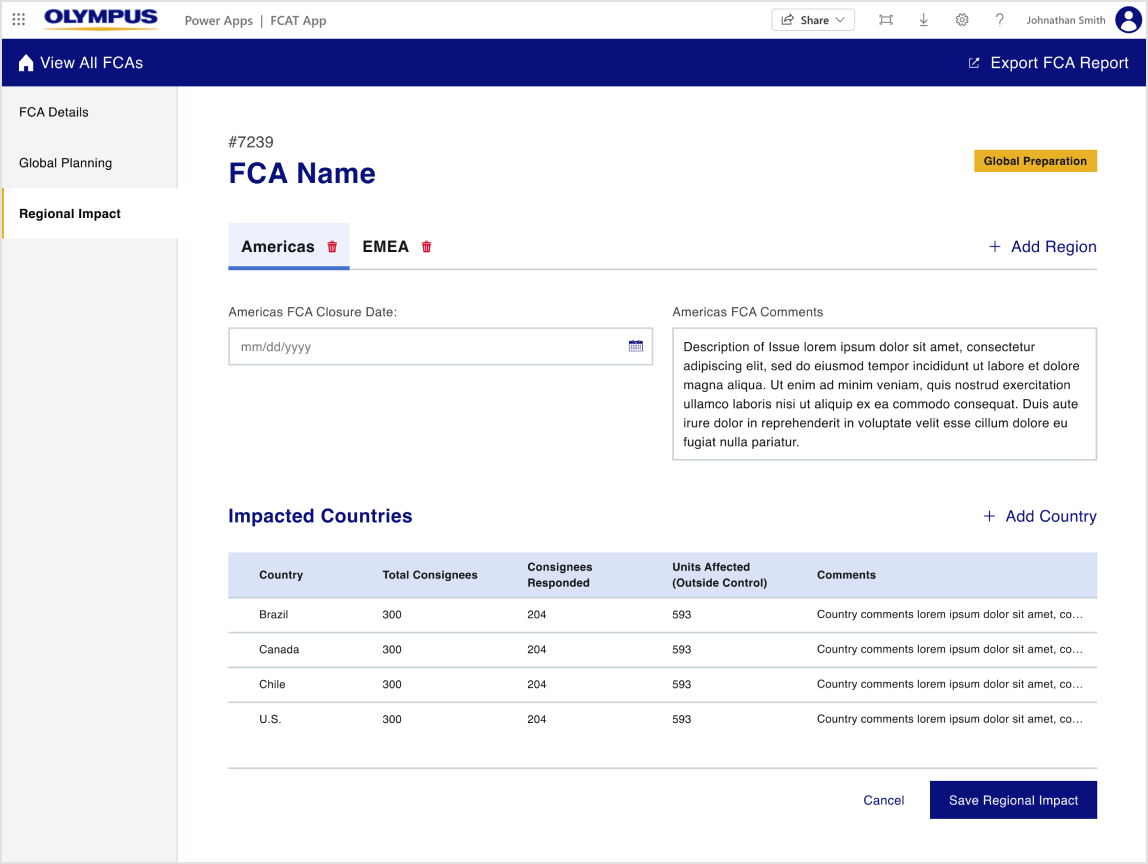
  • Bulk Selection & Editing: Enabled users to select multiple countries or entire regions at once, streamlining updates and reducing repetitive tasks.
  • Enhanced Table Content: Reorganized the table to display essential information at a glance, minimizing the need for extra navigation.
  • Standardized Column Names & Tooltips: Updated naming conventions to align with global standards and added tooltips to clarify column purpose, ensuring cross-region consistency.

Before

regional impact before

After

regional impact after

More Work